100% local file conversion
Private by design
Supported workflows stay on device with no cloud upload required.
Files, Photos, Share Sheet
Start from the apps you already use and move just as quickly.
PDF, media, text
Built for everyday iPhone conversion jobs that need speed and polish.
Convert files instantly. Privately. On your iPhone.
File Converter transforms PDFs, images, documents, and video right on your device. No uploads. No waiting on servers. No privacy tradeoffs.
Your files never leave your iPhone.
Trust and privacy
Your most sensitive files can stay exactly where they belong.
Contracts, forms, scans, photos, PDFs, and clips often contain personal information. File Converter keeps supported conversions on your iPhone so the workflow stays fast, private, and under your control.
100% local conversion
Supported tools process on-device, not in a remote queue that can slow you down or expose your files.
No waiting on servers
Skip upload time, skip processing delays, and move from source file to finished result in a single iPhone-native flow.
No account required
Open the app, pick a file, and convert. No sign-up wall between you and the task you need to finish.
No account, no ads, no analytics SDKs, and no server uploads.
Features
Everything important feels native, direct, and easy to trust.
File Converter is built for the formats iPhone users actually reach for: PDFs, images, documents, and media that need a quick private format change, cleanup, or export.
PDF to Image
Turn PDF pages into sharp images locally for sharing, saving, review, or markup without a cloud round-trip.
Video tools that stay local
Convert MOV to MP4, compress large clips, or extract audio directly on your iPhone with no upload step in the middle.
Document to Plain Text
Extract text from supported documents and images for quick reuse, notes, or clean plain-text export.
Share Extension
Send files and photos into File Converter from Files, Photos, and the iOS Share Sheet when you need speed.
Fast repeat workflows
Quick tools, favorites, and recent activity keep the jobs you do most close at hand instead of buried in menus.
Clean, intuitive design
Large actions, clear states, and an iPhone-first layout make complicated file tasks feel immediate and calm.
Screenshots
Every real screen, shown in full and scaled to fit.
No crops. No oversized poster treatment. Just the app, presented clearly and exactly as it was designed.
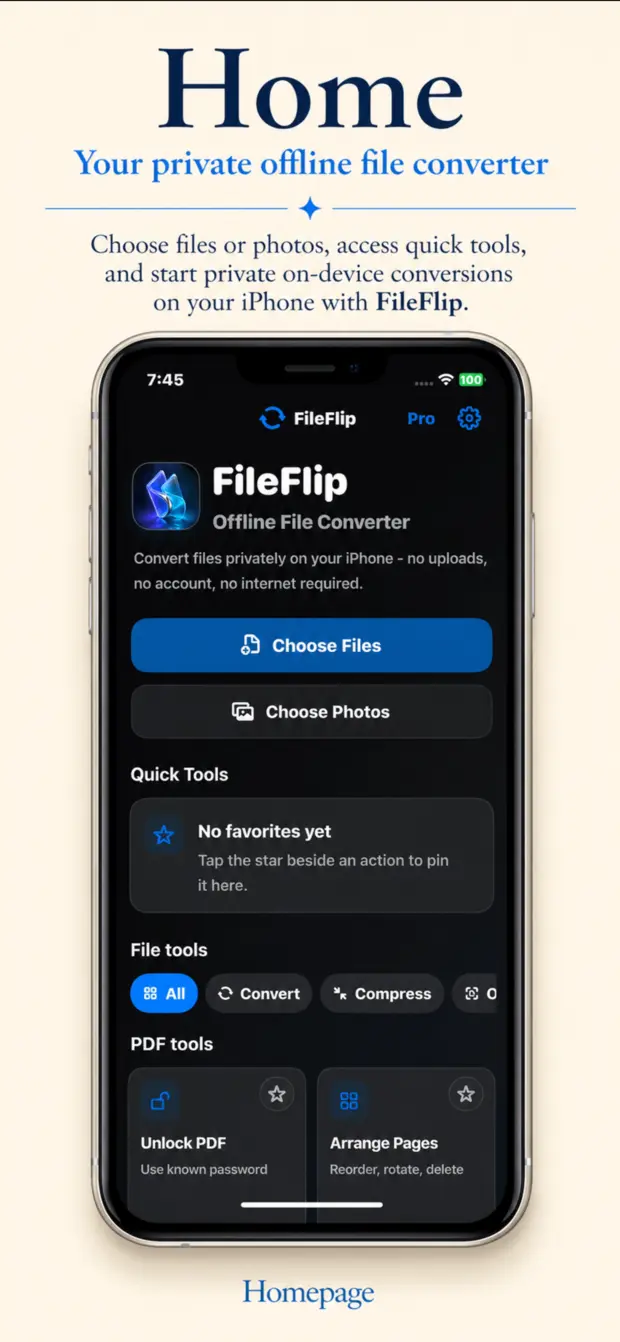
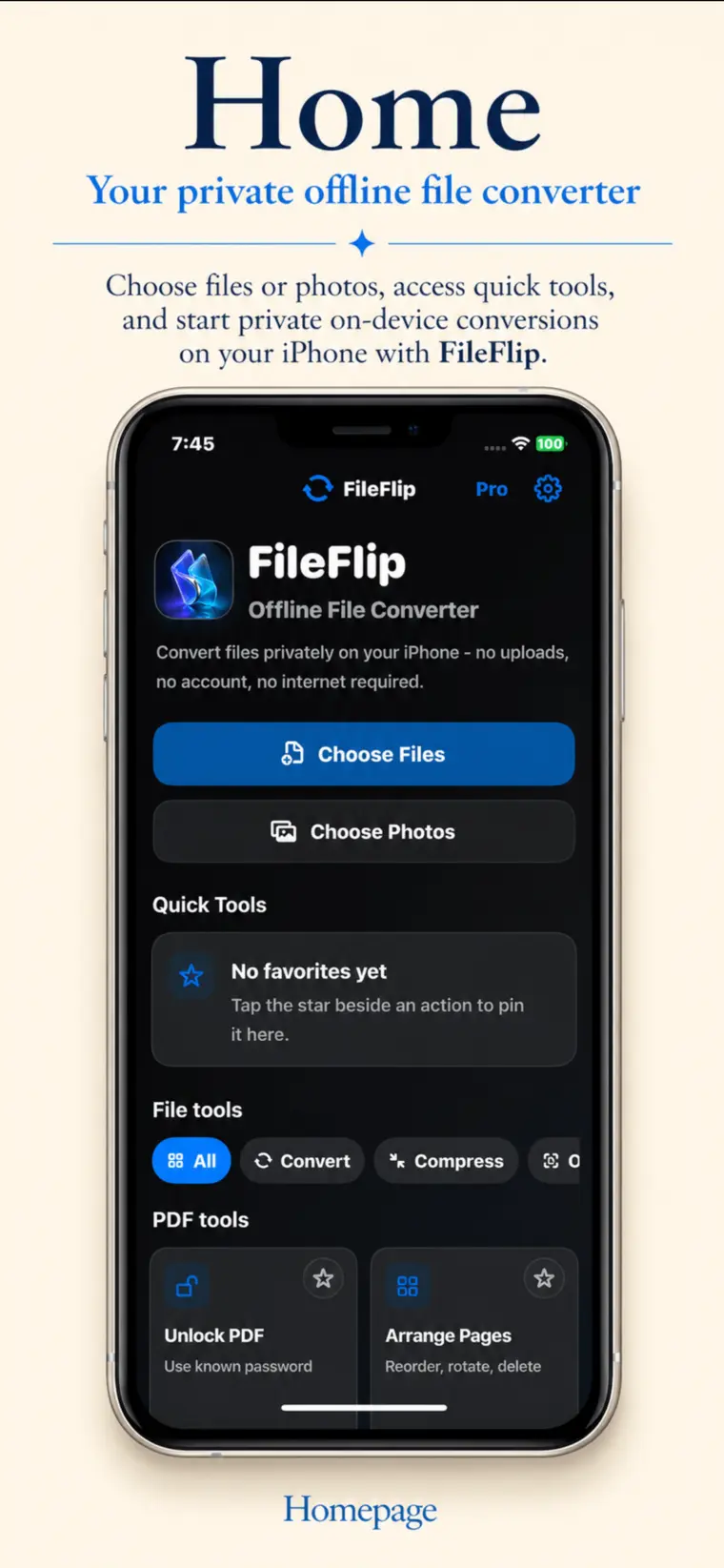
Start with Files or Photos
Import in seconds, launch quick tools, and move straight into private conversions on your iPhone.
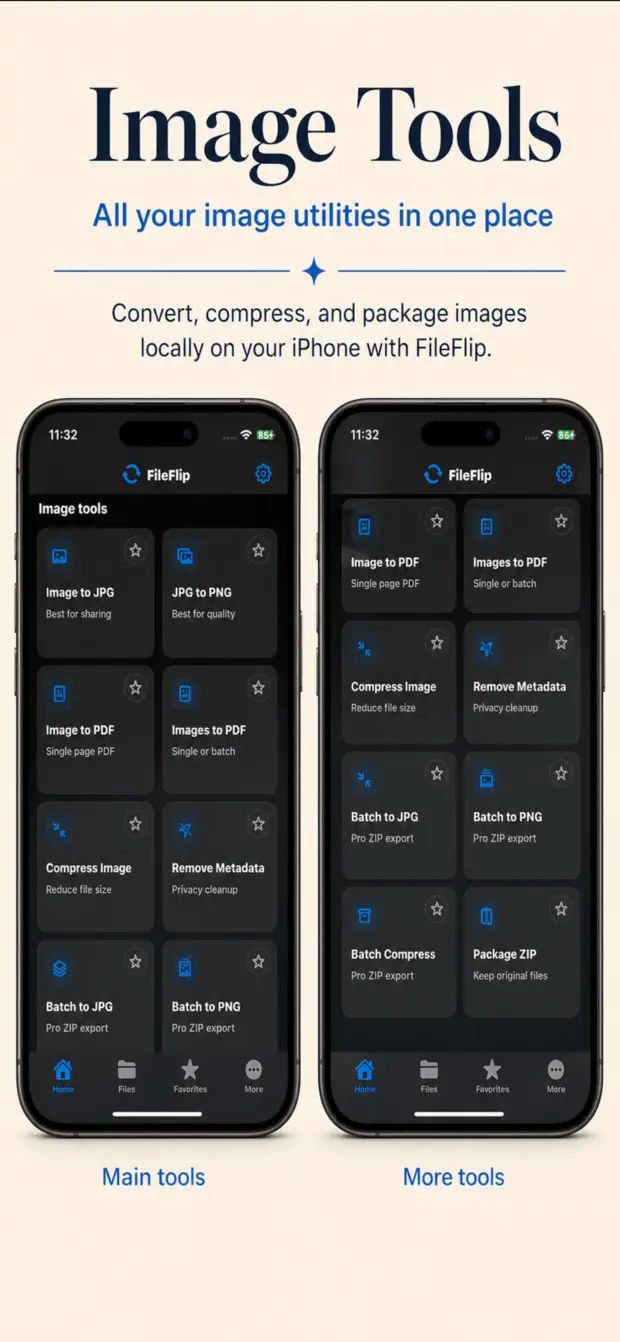
Format conversion and cleanup
Handle image conversion, compression, packaging, and metadata removal in one focused utility flow.
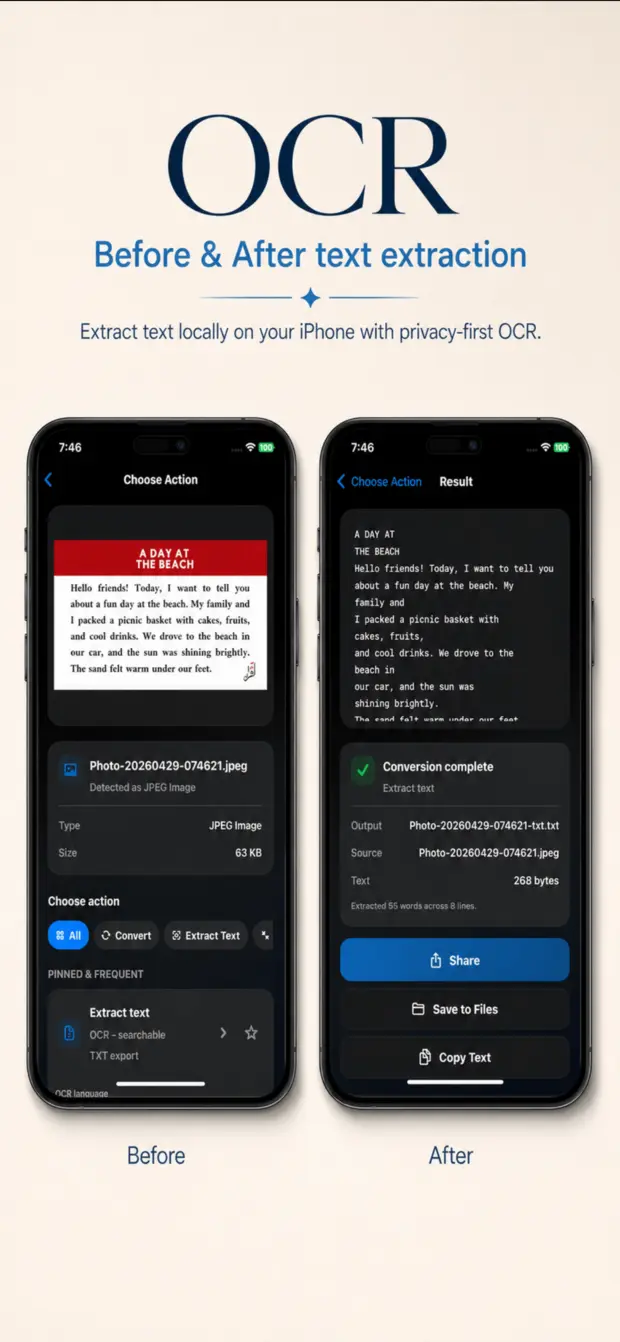
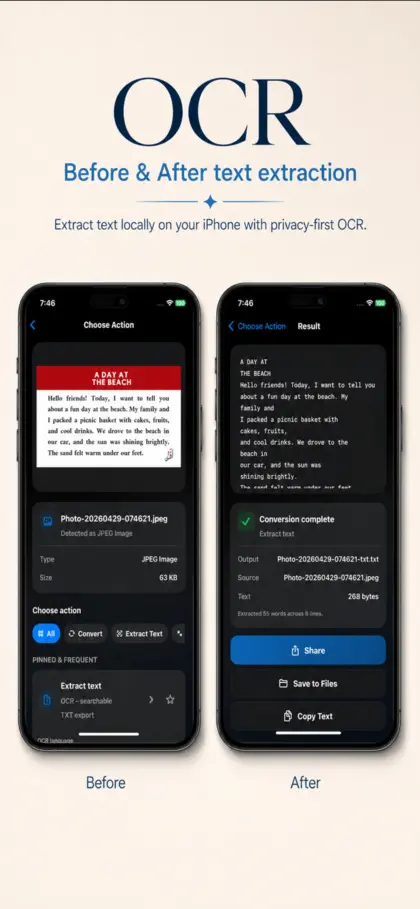
Document to text, on device
Extract text locally from supported files and keep the result ready to share, save, or copy.
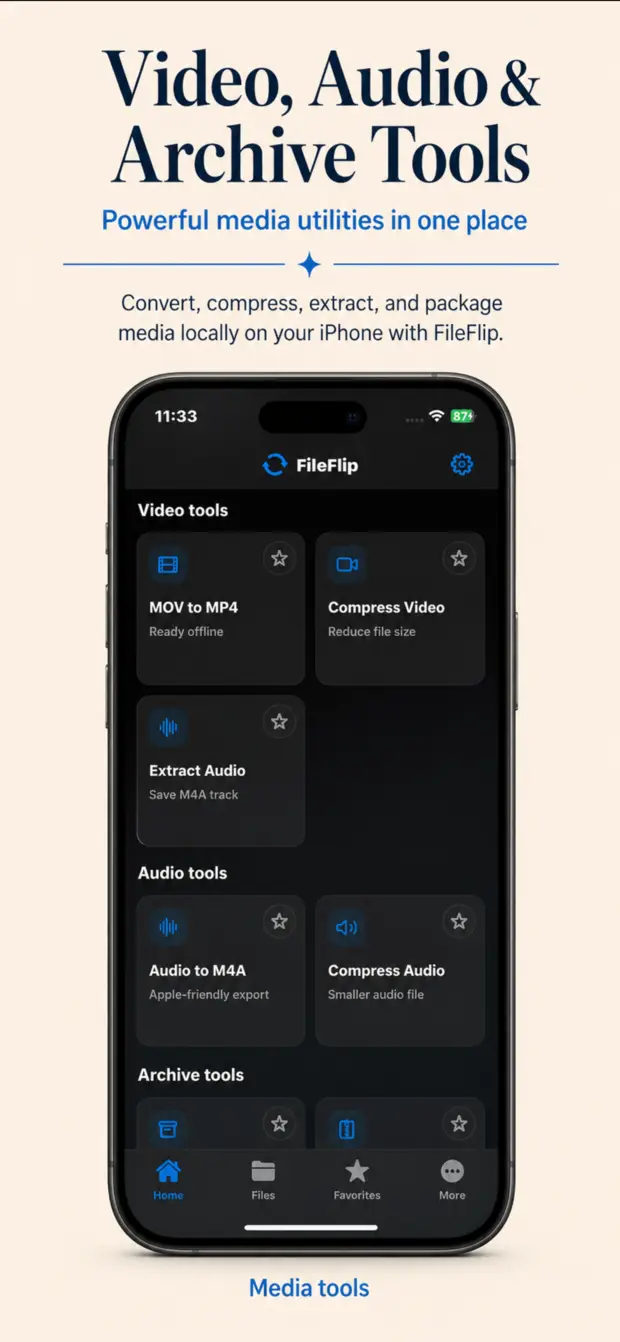
Video, audio, and archive tools
Convert MOV to MP4, compress media, extract audio, and manage archive workflows in the same app.
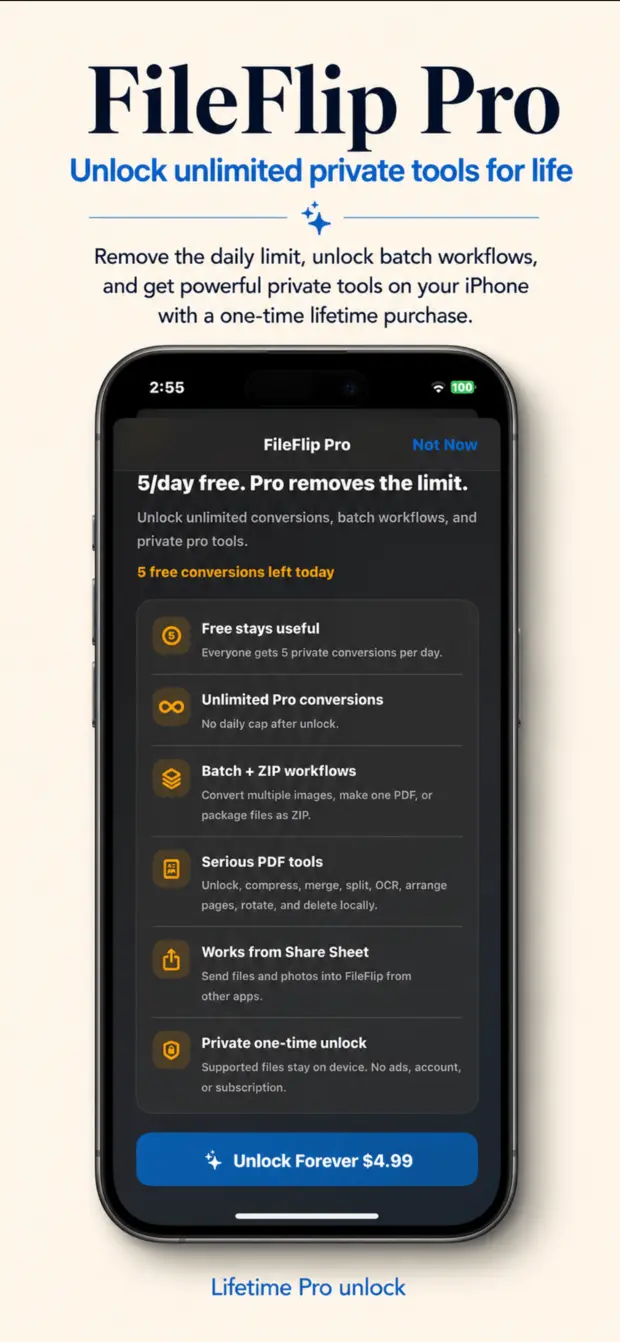
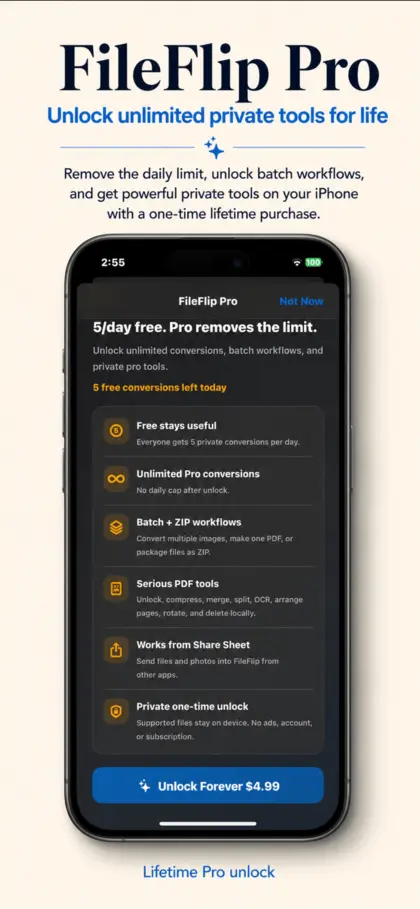
Unlock deeper private workflows
Batch jobs, advanced PDF actions, ZIP packaging, and Share Sheet power stay wrapped in a premium, direct unlock path.
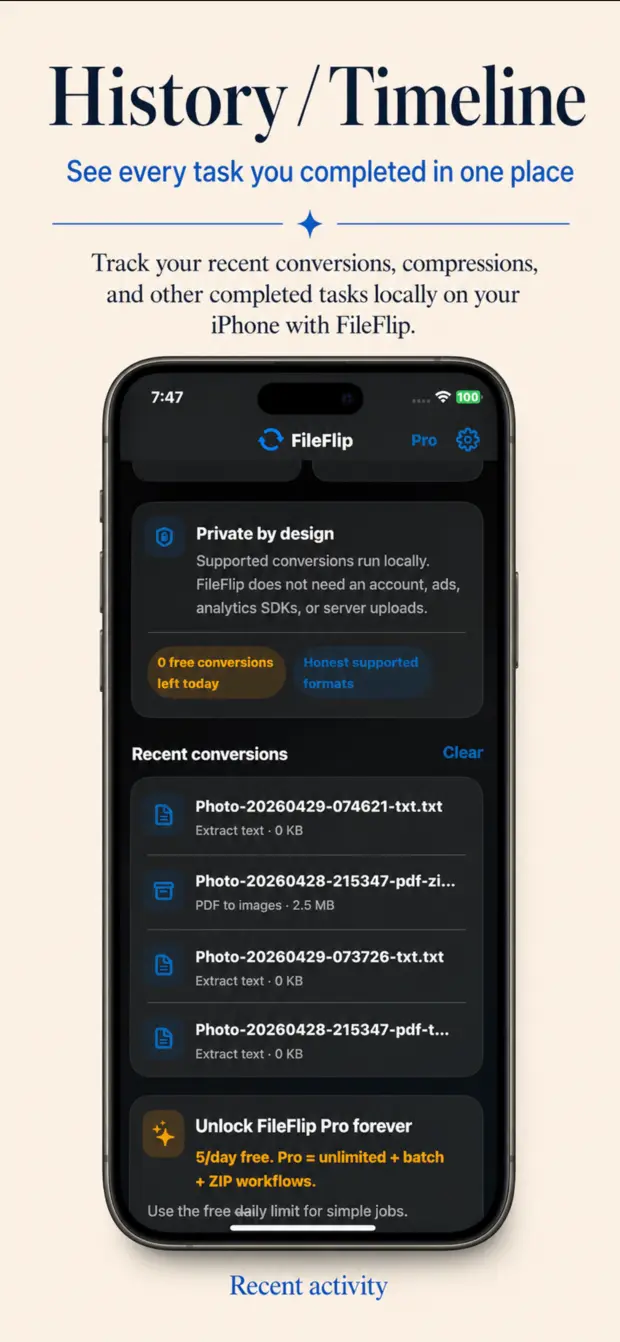
See completed work at a glance
Recent activity keeps finished exports close, helping repeat tasks feel fast even after you leave the app.
 File Converter Pro
One premium upgrade for people who do serious file work on iPhone.
File Converter Pro is presented as a high-value, one-time unlock for batch workflows, stronger PDF tooling, ZIP packaging, Share Sheet convenience, and unlimited private conversions.
- Unlimited conversions after unlock
- Batch and ZIP workflows for heavier jobs
- Advanced PDF utilities including PDF to images
- Share Extension convenience from other apps
How it works
Pick a file. Choose a conversion. Save or share the result.
The flow stays intentionally short so you can move through a job without unnecessary taps, logins, or handoffs to a server you did not ask for.
Pick a file
Start from Files, Photos, or the Share Extension when a file is already open in another app.
Choose the conversion
Select the local workflow you need, from PDF to image and OCR to media cleanup and export.
Save or share instantly
Send the result back to Files, share it onward, or keep it in recent activity for the next time.
Final call
Make private file conversion your default iPhone workflow.
File Converter is positioned to feel fast, premium, and trustworthy from the first impression. Drop in the live App Store URL when the listing is ready and the page is launchable.